


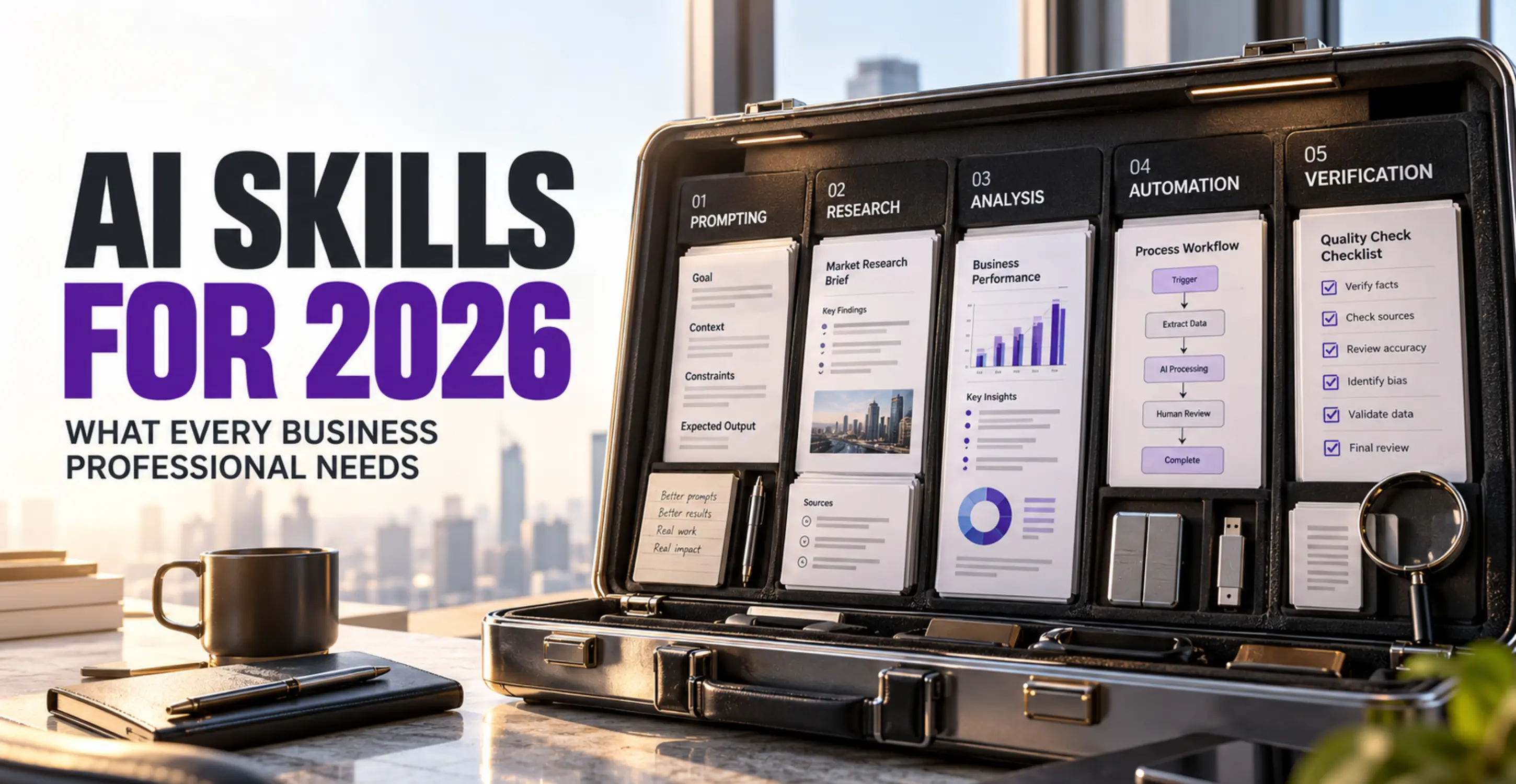
AI Skills Every Business Professional Should Learn in 2026
Knowing how to use ChatGPT is useful. Knowing when to use it, what information to give it, how to check its work, and whether its output solves a business problem is considerably more valuable.
In 2026, the most important AI skills for business professionals include AI literacy, effective prompting, critical thinking, research, data analysis, business communication, workflow automation, information security, and AI-assisted decision-making. Professionals working with increasingly capable AI agents also need to understand supervision, permissions, and human accountability.
These capabilities matter across accounting, marketing, sales, human resources, operations, procurement, and management. Most do not require programming.
This guide explains 14 practical AI skills, how they apply to different professions, which ones to learn first, and how to begin developing them through a structured 30-day learning plan.
Why AI Skills Matter for Business Professionals in 2026
Artificial intelligence is changing how organizations handle information, prepare reports, communicate with customers, analyze business performance, and coordinate routine work.
The significance is not limited to technology companies.
The World Economic Forum's Future of Jobs Report 2025 surveyed more than 1,000 employers representing over 14 million workers across 55 economies. It found that 86% of surveyed employers expected advances in AI and information-processing technologies to transform their businesses by 2030.
That figure describes employer expectations, not the percentage of businesses that had already adopted AI.
The report also identified AI and big data among the fastest-growing skills, alongside cybersecurity and technological literacy. Analytical thinking, resilience, and creative thinking remained important across occupations.
More recent research reinforces the connection between technical and human capabilities.
The International Labour Organization's August 2026 report, Changing Landscape of Skills in the Age of AI, explains that AI adoption is altering the use of cognitive, social, and digital skills across occupations. Its findings emphasize adaptability, AI literacy, and the ability to exercise human judgment.
Microsoft's 2026 Work Trend Index provides another perspective.
Based on a survey of 20,000 workers who use AI across ten countries, Microsoft reported that:
-
66% said AI had allowed them to spend more time on higher-value work.
-
58% said they were producing work they could not have produced a year earlier.
-
86% said they treated AI output as a starting point rather than a final answer.
These are self-reported experiences from workers already using AI. They should not be interpreted as independently measured productivity improvements across the entire workforce.
The same study found that organizational conditions, including management support, workplace culture, and talent practices, were strongly associated with reported AI benefits.
This distinction matters.
An employee might know how to produce a report using AI. That does not mean the organization has reliable data, suitable software permissions, or an approval process for using that report.
Practical AI proficiency requires both individual capability and appropriate organizational controls.
What Does Research Say About AI and Productivity?
Several workplace experiments demonstrate genuine potential, alongside important limitations.
In a study published in Science in 2023, researchers Shakked Noy and Whitney Zhang assigned professional writing tasks to 453 college-educated participants. Access to ChatGPT reduced average completion time by 40% and improved evaluated output quality by 18%.
The findings concerned specific writing tasks under experimental conditions, not every form of professional work.
A larger study by Erik Brynjolfsson, Danielle Li, and Lindsey Raymond, published in The Quarterly Journal of Economics in 2025, examined AI assistance across 5,172 customer-support workers. Access to an AI conversational assistant increased productivity, measured by customer issues resolved per hour, by approximately 15% on average. Benefits varied substantially by employee experience and skill level.
There is also evidence that AI can make performance worse on unsuitable tasks.
A 2026 Organization Science study involving Boston Consulting Group examined what researchers called the jagged technological frontier: the uneven boundary between tasks AI can perform effectively and tasks where its assistance can be misleading. Participants using AI performed better on several supported consulting tasks but were less likely to reach the correct answer on a task outside the model's effective capabilities.
The implication for business professionals is straightforward: selecting the right task and checking the output can matter as much as using the technology itself.
What Counts as an AI Skill in Business?
AI competence can be divided into three practical levels.
| Competence Level | What It Means | Typical Application |
|---|---|---|
| Foundational AI literacy | Understanding AI capabilities, limitations, terminology, and risks | Recognizing when an AI-generated answer needs verification |
| Practical AI application | Using approved AI tools to support professional tasks | Researching, drafting, analyzing, and summarizing information |
| AI workflow competence | Integrating AI into repeatable business processes with appropriate controls | Preparing a weekly report using verified data, AI assistance, and managerial approval |
A fourth category, AI development, involves building specialized applications, integrations, agents, or machine learning systems. It can require programming, software engineering, and deeper technical knowledge.
Most business professionals should develop the first three levels before considering AI development.
An accountant does not need to train a neural network to benefit from AI-assisted financial reporting. A marketing manager does not need to write Python code to improve research and campaign planning. A business owner does not need to become an AI engineer to evaluate potential automation opportunities.
They do need to understand the work well enough to recognize when the technology is helpful and when it introduces unacceptable risk.
The 14 Most Important AI Skills for Business Professionals
The following table provides an overview of the main competencies.
AI Skills at a Glance
| AI Skill | Example Business Application | Difficulty | Learning Priority |
|---|---|---|---|
| AI literacy | Selecting an appropriate AI application | Beginner | Essential |
| Professional prompting | Preparing reliable business drafts | Beginner | Essential |
| Critical thinking and verification | Checking AI-generated findings | Intermediate | Essential |
| AI-assisted research | Preparing competitor research | Beginner | Essential |
| Business writing with AI | Drafting reports and client updates | Beginner | Important |
| AI-assisted data analysis | Investigating sales or expense trends | Intermediate | Important |
| Document and knowledge analysis | Comparing policies and procedures | Beginner to intermediate | Important |
| Multimodal AI | Working with images, charts, and audio | Beginner to intermediate | Role-dependent |
| AI workflow design | Building a repeatable reporting process | Intermediate | Important |
| No-code automation | Routing enquiries and preparing follow-ups | Intermediate | Role-dependent |
| AI agents and supervision | Coordinating approved multi-step tasks | Intermediate to advanced | Role-dependent |
| AI privacy and security | Protecting customer and business information | Beginner | Essential |
| AI-assisted decision support | Comparing business scenarios and options | Intermediate | Important |
| Measuring AI value | Evaluating time, accuracy, quality, and cost | Intermediate | Important |
These categories are practical learning priorities, not universal professional certification standards.
Different occupations require different levels of competence.
A finance professional may need strong data-verification skills before exploring automation. A marketing specialist might benefit immediately from research, communication, and multimodal AI. An operations manager could gain more from workflow design than from advanced image-generation techniques.
1. AI Literacy: Understanding What AI Can and Cannot Do
AI literacy is the foundation of responsible professional AI use.
It means understanding the major categories of artificial intelligence and recognizing their capabilities and limitations.
A business professional should be familiar with several concepts:
Generative AI produces or transforms material such as text, images, audio, and code.
Large language models (LLMs) process and generate language, allowing users to ask questions, summarize documents, and perform many information-related tasks.
Predictive AI uses data to estimate outcomes or identify patterns. Examples include demand forecasting and certain fraud-detection systems.
AI assistants help users perform tasks through conversational or other interfaces.
AI agents can use connected tools and execute multiple steps toward a defined goal, subject to their available capabilities and permissions.
Professionals should also understand hallucinations, which occur when generative AI presents incorrect or unsupported information as though it were reliable.
Consider an operations manager who needs a summary of weekly maintenance reports. AI may be suitable for organizing the information and identifying recurring issues.
Using the same system to independently decide which employee should be dismissed would introduce considerably greater legal, ethical, and operational risks.
The distinction is not whether AI can produce an answer. It is whether the answer can be trusted and appropriately used.
Practice exercise: Select five tasks from your current role. Classify each as suitable for AI assistance, suitable only with substantial human review, or unsuitable for AI.
Common mistake: Assuming a confident response indicates reliable knowledge.
How to assess your skill: You should be able to explain why a particular AI application is appropriate for one task but not another.
2. Professional Prompt Design and AI Communication
Prompt engineering is often described as the ability to write effective instructions for AI.
In business, it is more useful to think of prompting as task specification.
A professional prompt communicates what needs to be done, what information is available, which restrictions apply, and how the result should be evaluated.
Consider two instructions.
Weak prompt:
Write a monthly sales report.
Better prompt:
Using the approved sales figures provided, prepare a concise monthly performance summary for regional sales managers. Compare current and previous month results, identify meaningful changes, and distinguish verified figures from possible explanations. Do not estimate missing data. Present the output as an executive summary followed by a table of key findings and questions requiring management review.
The second instruction identifies the audience, objective, information source, constraints, and output structure.
A useful professional prompting method involves six elements:
-
Task: Define the required outcome.
-
Context: Explain the business situation and intended audience.
-
Sources: Supply appropriate, authorized information.
-
Constraints: State accuracy, privacy, length, and formatting requirements.
-
Output: Specify the expected structure or deliverable.
-
Evaluation: Explain what the response must satisfy.
Examples are particularly useful when a business has an established reporting style.
For instance, a manager may provide an approved sample report and ask AI to follow its structure without changing the underlying financial figures.
Professionals should also learn to revise prompts when information is incomplete, identify contradictory instructions, and test whether a prompt works consistently across multiple inputs.
Practice exercise: Rewrite three vague workplace requests as structured prompts. Test each with safe sample information and compare the results.
Common mistake: Memorizing elaborate prompt formulas without understanding the actual business objective.
How to assess your skill: Another employee should be able to reuse your prompt with a similar task and obtain an appropriately structured draft.
Prompting improves communication with AI. It does not eliminate the need for independent verification.
3. Critical Thinking and AI Output Evaluation
Critical thinking is one of the most consequential AI skills for professional work.
Generative AI can produce convincing explanations, detailed tables, apparently credible sources, and confident calculations. None of those characteristics guarantees correctness.
A finance manager, for example, might ask AI to summarize departmental expenditure.
Suppose the approved records show:
-
January expenditure: Rs 2,000,000
-
February expenditure: Rs 2,300,000
An AI-generated report incorrectly states that spending increased by 10%.
The actual calculation is:
(2,300,000 − 2,000,000) ÷ 2,000,000 × 100 = 15%
The difference could materially affect a management presentation.
A professional with appropriate AI evaluation skills should identify the error before sharing the report.
This requires checking both the original figures and the method used to produce conclusions.
AI Output Quality Checklist
Before using an AI-generated result professionally, check:
-
Accuracy: Are the factual statements supported?
-
Source quality: Do the cited sources exist and support the claims?
-
Calculations: Can the figures be reproduced using reliable software?
-
Completeness: Has important information been omitted?
-
Logic: Do the conclusions follow from the evidence?
-
Context: Does the response account for the actual business situation?
-
Bias: Are assumptions unfair, one-sided, or misleading?
-
Confidentiality: Does the output disclose information that should remain protected?
-
Accountability: Has the appropriate employee reviewed and approved the result?
This emphasis on verification is supported by research.
A 2025 CHI Conference study involving 319 knowledge workers examined how generative AI influenced self-reported critical thinking. The researchers found an association between greater confidence in AI and reduced reported critical-thinking effort.
The study did not demonstrate that AI inevitably damages reasoning ability. It highlighted the importance of verification, professional confidence, and thoughtful task management.
Practice exercise: Give an AI assistant a deliberately imperfect sample report containing an incorrect percentage, an unsupported claim, and an outdated reference. Evaluate whether you can identify all three problems.
Common mistake: Reviewing grammar and presentation while overlooking factual errors.
How to assess your skill: You can explain which claims you independently verified and which remain uncertain.
4. AI-Assisted Research and Information Synthesis
Research often involves collecting information from multiple sources, comparing findings, identifying patterns, and preparing conclusions.
AI can help organize this process.
A marketing manager researching competing brands might use AI to develop an initial research framework covering market positioning, product categories, pricing approaches, target audiences, and communication strategies.
The manager could then collect current information from official company websites, product pages, annual reports, and other appropriate sources.
AI can assist with:
-
Organizing research questions
-
Comparing verified information
-
Summarizing lengthy documents
-
Preparing competitor matrices
-
Identifying unanswered questions
-
Structuring findings for management
The important distinction is between research assistance and evidence.
An AI-generated summary is not automatically a verified source. References may be incorrect, links may lead to unrelated material, and current facts may differ from information available to the model.
A practical research process starts with credible primary sources, uses AI for organization and interpretation, and ends with a human checking the final claims.
Practice exercise: Compare three publicly available company reports. Build a source-linked table showing their business priorities, then verify every entry against the original documents.
Common mistake: Treating generated citations as confirmation that research has been performed correctly.
How to assess your skill: Every consequential claim in your final briefing can be traced to an accessible, relevant source.
5. AI-Assisted Business Writing and Communication
Writing remains an important professional capability, even when AI produces the first draft.
Business communication requires a clear purpose, suitable tone, accurate information, and awareness of the reader's needs.
AI can support emails, proposals, meeting summaries, reports, presentations, internal memos, customer communication, and technical explanations.
Consider an account manager preparing an update for a corporate client.
The manager can provide approved project milestones, relevant deadlines, and agreed action items, then ask an authorized AI assistant to produce a structured draft.
The manager must still determine whether the message accurately represents the project's status, makes reasonable commitments, and matches the relationship with the client.
The ability to evaluate writing becomes particularly important when AI produces grammatically polished but commercially inappropriate content.
Practice exercise: Prepare a fictional customer update manually, then produce an AI-assisted version. Compare accuracy, clarity, tone, and the amount of editing required.
Common mistake: Sending an AI-generated message without checking whether it makes promises the organization cannot fulfill.
How to assess your skill: The final communication is accurate, appropriate for its recipient, and requires no correction of invented facts.
6. Data Literacy and AI-Assisted Business Analysis
Data literacy is the ability to understand, organize, interpret, and question information represented in numbers, tables, and charts.
It is particularly important for accounting, finance, sales, supply chain, operations, and management.
AI can help professionals formulate analytical questions, explain spreadsheet formulas, identify possible patterns, structure reports, and interpret verified results.
But effective analysis begins with understanding the data.
A finance professional examining monthly expenses should be able to identify inconsistent categories, missing entries, duplicates, and incorrect date formats before attempting analysis.
For example, suppose a company compares purchasing expenditure across two quarters.
An AI assistant might suggest that expenditure increased because supplier prices rose.
That explanation would be premature if purchasing volumes also increased.
The professional needs to separate observed changes from possible causes.
Useful analytical competencies include:
-
Understanding rows, columns, data types, and categories
-
Cleaning and validating datasets
-
Calculating percentages, averages, and growth rates
-
Identifying unusual observations
-
Comparing appropriate time periods
-
Reading visualizations correctly
-
Understanding business metrics
-
Distinguishing correlation from causation
Microsoft Excel, Power BI, and approved AI data-analysis applications can complement one another.
Excel remains useful for spreadsheet calculations and structured analysis. Power BI supports data modeling, visualization, and reporting. AI assistants can help users formulate questions and interpret outputs, but their capabilities depend on the application, file formats, permissions, and available analytical tools.
Practice exercise: Create a fictional dataset containing 50 transactions. Calculate departmental expenditure using spreadsheet formulas. Ask AI to explain the patterns, then independently verify its numerical statements.
Common mistake: Using AI-generated numbers without reconciling them against the source dataset.
How to assess your skill: You can reproduce important calculations and distinguish reliable observations from unsupported explanations.
7. Working With Business Documents and Knowledge Sources
Organizations maintain information across contracts, policies, training materials, standard operating procedures, meeting records, and technical documents.
Finding the correct information can be time-consuming.
AI-supported document analysis can make this process more manageable when the organization permits its use.
For example, an HR professional might need to compare two approved versions of an employee handbook.
An appropriate AI application may help identify policy changes, summarize relevant sections, and prepare a review table.
The employee should check each finding against the source documents, particularly where employment rights, legal obligations, or official company policies are involved.
Business professionals should also understand grounding, the practice of connecting an AI response to relevant source information.
Grounding can improve relevance and traceability, but it does not automatically make an answer correct.
Permission management is equally important. Employees must not assume that having access to a document means they are authorized to upload it into any AI service.
Practice exercise: Compare two fictional policy documents. Identify the changes, attach section references, and verify the final comparison manually.
Common mistake: Allowing AI to merge conflicting policies without indicating which version is authoritative.
How to assess your skill: You can identify the precise source passage supporting each material conclusion.
8. Multimodal AI Literacy
Multimodal AI systems can work with different forms of information, including text, images, audio, and, in supported applications, video.
This expands the types of professional tasks AI can assist with.
A marketing professional might analyze an approved advertising visual and request suggestions for improving message clarity.
A project coordinator could use an authorized transcription service to turn meeting audio into an initial set of action items.
A manager may ask an AI application to describe a business chart before checking whether the explanation accurately reflects the underlying data.
Multimodal capabilities vary considerably between products and subscription levels.
Professionals also need to consider image rights, employee consent, recording permissions, personal information, and the possibility of inaccurate visual interpretation.
Practice exercise: Use a fictional dashboard screenshot and its underlying figures. Compare an AI-generated interpretation with the actual data.
Common mistake: Assuming that an AI system has accurately read every number, label, or visual element.
How to assess your skill: You can identify visual interpretation errors and verify the output using the original material.
9. AI-Assisted Workflow Design
Using AI occasionally is different from designing a reliable process around it.
A workflow is a sequence of activities that transforms information or inputs into a usable business result.
Consider a weekly sales reporting process.
A basic approach might involve asking AI to summarize whatever sales data is available.
A stronger process would be:
-
Export approved sales information.
-
Validate dates, totals, and categories.
-
Calculate key metrics using reliable software.
-
Ask AI to identify patterns and prepare a narrative draft.
-
Compare each finding with the verified figures.
-
Have the responsible manager approve the report.
-
Distribute the approved version.
-
Record errors and potential improvements.
The value comes from defining how work moves between people, data, software, and approval stages.
Workflow design is particularly relevant to operations managers, project managers, finance teams, and employees responsible for recurring reports.
Practice exercise: Map one repetitive task using a flowchart. Identify which steps are deterministic, which might benefit from AI, and which require human approval.
Common mistake: Automating an inefficient process without first fixing its underlying weaknesses.
How to assess your skill: Another employee can follow the documented workflow and understand every responsibility and control.
10. No-Code AI Automation and Integration
Automation enables work to move between systems with reduced manual intervention.
Traditional automation follows predefined rules. AI-enhanced automation introduces capabilities such as interpreting unstructured text, classifying requests, or generating draft responses.
Imagine a company receiving enquiries through a website.
A conventional automation could create a CRM record when a form is submitted.
An AI-supported step might classify the enquiry by topic and propose an appropriate next action.
A properly designed workflow could then route the record to the relevant employee.
Tools such as Microsoft Power Automate and other approved integration platforms can support these processes, although availability depends on licensing, technical setup, and permissions.
Business professionals should understand triggers, actions, conditions, data connections, error handling, and approval requirements.
APIs are software interfaces that allow permitted systems to exchange information. Employees do not necessarily need to write API code, but understanding the concept helps them work with technical teams.
Practice exercise: Design an enquiry-routing workflow using fictitious customer information. Include a rule for low-confidence classifications and a manual review step.
Common mistake: Allowing an automated system to send external messages or modify important records without suitable controls.
How to assess your skill: You can explain what starts the workflow, what each stage does, and what happens when something fails.
11. AI Agents and Agentic Workflow Supervision
AI agents extend beyond single prompts by working through multiple steps toward an assigned objective.
Depending on their design and permissions, an agent may retrieve information, use software tools, choose a next step, and inspect the outcome of an action.
This introduces useful possibilities for business teams, but also new responsibilities.
Consider a customer-support system connected to an approved company knowledge base.
An agent may retrieve policy information, draft a response, and recommend escalation when a request is unusually complex.
An authorized employee or workflow rule may be required to approve consequential actions.
Business professionals using agents should understand five questions:
-
What objective is the agent authorized to pursue?
-
What information and systems can it access?
-
Which actions can it take without approval?
-
How are errors, exceptions, and unexpected outcomes handled?
-
Who remains accountable for the result?
Autonomy is not an all-or-nothing property. Agents can operate under narrow permissions, require confirmation, or remain limited to preparing recommendations.
For a deeper explanation, read Avision Trainings' beginner-friendly guide to agentic AI.
Practice exercise: Design a hypothetical customer-service agent. List its permitted information sources, actions, escalation rules, and prohibited activities.
Common mistake: Assuming an agent will always choose the correct action simply because it has access to tools.
How to assess your skill: You can describe how an agent is supervised, audited, and stopped when necessary.
12. AI Privacy, Security, and Responsible Use
Every professional using AI should understand how to protect confidential information.
Potentially sensitive material includes customer records, employee data, financial reports, contracts, internal correspondence, passwords, and commercially confidential plans.
Employees should follow organizational policies before entering such information into an AI system.
The U.S. National Institute of Standards and Technology's AI Risk Management Framework offers a structured approach to identifying and managing AI-related risks.
Its Generative AI Profile examines concerns including inaccurate output, information security, privacy, and other risks associated with generative systems.
One important technical risk is prompt injection, where malicious instructions placed in external content attempt to influence how an AI system behaves.
For example, an AI assistant reading a supplier document might encounter hidden instructions asking it to ignore its original task or disclose unrelated information.
A secure workflow must treat untrusted documents and external content as data rather than authoritative instructions.
Different AI products have different business-data policies. Enterprise offerings may include specific privacy commitments and access controls, but these do not replace organizational information-security requirements.
Practice exercise: Create a fictional data-classification policy covering public, internal, confidential, and restricted material. Determine which categories may be used with approved AI tools.
Common mistake: Uploading sensitive business documents to an unauthorized personal AI account.
How to assess your skill: You can identify sensitive information, check tool permissions, and explain when AI use requires additional authorization.
13. AI-Assisted Decision Support and Business Judgment
Managers regularly compare alternatives under uncertainty.
AI can assist by organizing options, structuring assumptions, identifying questions, and preparing scenario comparisons.
Consider a procurement manager evaluating three suppliers.
The manager has verified information about prices, delivery performance, product quality, and contractual terms.
An AI assistant can help organize those criteria into a comparison matrix and identify areas requiring clarification.
The final purchasing decision still requires professional judgment, appropriate due diligence, and authorized approval.
AI-generated recommendations can appear objective while reflecting incomplete data or hidden assumptions.
A responsible manager should distinguish facts from estimates, test alternative explanations, and consider consequences that the model may not understand.
Practice exercise: Build a fictional supplier comparison using documented criteria. Ask AI to identify tradeoffs, then challenge its recommendation by changing one assumption.
Common mistake: Allowing a persuasive narrative to substitute for evidence and commercial judgment.
How to assess your skill: You can defend the decision using verified information without relying solely on the model's recommendation.
14. Measuring AI Value and Continuous Improvement
AI is not automatically valuable because it produces work quickly.
A useful evaluation considers the quality of the result, the effort required to achieve it, and the risks introduced along the way.
Suppose an employee previously required 90 minutes to prepare a weekly report.
After introducing AI, drafting takes 30 minutes, but verification and corrections require another 40 minutes.
The effective processing time is 70 minutes, not 30.
That is a 20-minute reduction, provided the report meets the same quality standard and the comparison is otherwise fair.
More useful measures include:
-
Total completion time, including review
-
Accuracy and correction rates
-
Output consistency
-
Employee effort
-
Software and integration costs
-
Customer outcomes
-
Process failures
-
Compliance requirements
-
Quality of management decisions
Establish a baseline before adopting a new workflow.
Test the revised process on comparable tasks, record the results, and review whether apparent savings are offset by rework or new risks.
Practice exercise: Compare five manually completed tasks with five AI-assisted equivalents of similar complexity. Record time, accuracy, editing effort, and any additional costs.
Common mistake: Reporting time saved without measuring the time spent correcting AI errors.
How to assess your skill: You can explain whether AI improved the overall outcome and provide evidence supporting that conclusion.
How Businesses Are Applying AI: Four Documented Examples
Real business deployments help explain why these skills should be learned together.
1. Customer Support: AI Assistance Across 5,172 Workers
The 2025 study Generative AI at Work, published in The Quarterly Journal of Economics, examined the introduction of an AI assistant in customer support.
The system provided assistance to workers handling customer enquiries.
Researchers reported an average productivity improvement of approximately 15%, with larger benefits for less experienced and lower-skilled employees.
The outcome demonstrates how AI can assist knowledge retrieval and customer communication, although the results depended on the working environment and were not uniform across employees.
Relevant skills: AI literacy, knowledge retrieval, communication, output evaluation, and workflow integration.
2. Procter & Gamble: AI in Collaborative Product Innovation
A field experiment involving Procter & Gamble professionals examined the use of AI during product innovation work.
The peer-reviewed study, published in Organization Science in 2026, involved 791 professionals in its workshop, with 776 providing complete post-task data.
Researchers found that individuals assisted by AI could achieve performance comparable to teams without AI on the experimental tasks. They also found evidence that AI helped participants produce proposals incorporating both technical and commercial perspectives.
The study concerned structured innovation challenges. It does not establish that AI can replace teamwork across general business operations.
Relevant skills: Research, cross-functional communication, problem framing, creativity, and human-AI collaboration.
3. pladis: Training Employees to Use AI in Daily Work
Global food manufacturer pladis introduced Microsoft 365 Copilot and related AI tools alongside employee training and internal adoption activities.
A Microsoft customer story published in September 2026 describes applications across document preparation, reporting, procurement, and other business functions.
Among 70 employees trained in one program, 48 completed all the masterclasses and the company's productivity tracker. Those employees reported a combined 580 hours saved per month, averaging slightly more than 12 hours per participant.
These figures are company-reported productivity estimates published by a technology vendor. They are not independently established effects applicable to every employee or organization.
The case illustrates the role of training, organizational support, and measurement alongside software adoption.
Relevant skills: AI application, document workflows, automation, practical training, and performance measurement.
4. Regal Rexnord: AI Agents for Employees and Customers
Industrial manufacturer Regal Rexnord has implemented AI agents for internal information access and customer support.
According to a Microsoft customer story published in March 2026, the company developed agents that connect to business information and software systems.
The report states that an enterprise-wide employee agent handles more than 2,000 enquiries per month and that procurement employees developed an agent to help analyze spending patterns.
The business challenge was not merely producing text. It involved connecting information sources to repeatable tasks.
The reported outcomes are vendor-published company claims, and the case does not establish that these results can be replicated without similar integrations, governance, and investment.
Relevant skills: Knowledge management, workflow design, automation, agent supervision, and access control.
Which AI Skills Should Different Professionals Learn First?
There is no universal sequence that suits every occupation.
The appropriate starting point depends on the tasks a professional performs, the information they handle, and the risks involved.
| Profession | Priority Skills | Practical Application | Recommended Starting Point |
|---|---|---|---|
| Accountants | Data literacy, verification, privacy | Checking expense summaries | Verified spreadsheet analysis |
| Finance professionals | Data interpretation, decision support, document analysis | Budget variance reporting | Data quality and numerical checking |
| HR professionals | Document analysis, communication, responsible AI | Policy summaries and onboarding material | AI literacy and confidential-data handling |
| Marketing specialists | Research, prompting, multimodal AI | Campaign briefs and content development | Research-backed prompting |
| Sales professionals | Communication, research, CRM workflows | Account preparation and follow-up drafts | Structured communication prompts |
| Operations managers | Workflow design, data analysis, automation | Weekly performance reporting | Process mapping |
| Supply-chain professionals | Data analysis, research, scenario evaluation | Demand and inventory reviews | Analytical literacy |
| Procurement professionals | Research, supplier comparison, risk management | Tender and supplier assessments | Evidence-based decision support |
| Administrative professionals | Communication, document handling, task organization | Meeting records and routine correspondence | AI literacy and document workflows |
| Business owners | AI literacy, workflow design, measurement | Identifying suitable operational use cases | Business task assessment |
| Senior managers | Decision support, governance, AI value measurement | Departmental AI adoption | AI opportunities and controls |
| Fresh graduates | AI literacy, prompting, verification, data basics | Preparing professional briefs | Foundational practical exercises |
These are recommended learning priorities, not statements about mandatory qualifications or universal hiring requirements.
AI Skills for Finance and Accounting
Finance professionals should place particular emphasis on data integrity, calculation checks, confidential information, and traceable analysis.
AI can assist with narrative explanations and information organization, but financial figures must still be supported by authoritative records and appropriate controls.
AI Skills for Marketing and Sales
Marketing and sales employees may gain substantial practical value from better research, business writing, audience analysis, and workflow organization.
They should also understand factual accuracy, copyright, brand guidelines, and the limitations of AI-generated customer information.
AI Skills for HR and Administration
HR professionals need to distinguish low-risk administrative assistance from consequential employment decisions.
Drafting an onboarding checklist presents different risks from using AI to evaluate candidates for employment.
AI Skills for Managers and Business Owners
Managers should understand how AI changes the design of work, not simply how to use a chatbot.
Their responsibilities often include selecting suitable processes, setting permissions, supervising employees, evaluating outcomes, and ensuring accountability.
Do Business Professionals Need Coding to Learn AI?
No. Coding is not a general prerequisite for learning or applying AI in business.
Most professionals can begin with AI literacy, structured prompting, research, document handling, output verification, and existing business applications.
Certain automation tools also allow workflows to be configured visually.
Programming becomes more relevant when a project involves custom integrations, advanced data processing, application development, model customization, or complex agent architectures.
Even no-code tools can require a sound understanding of data structures, permissions, testing, and workflow logic.
A useful progression is to develop practical AI skills first, then learn additional technical capabilities when a specific professional objective requires them.
Three Practical AI Workflows for Business Teams
The following scenarios are illustrative exercises. They are not claims about actual Avision Trainings client deployments.
Workflow 1: Marketing Campaign Research and Proposal
A marketing department needs to prepare a campaign proposal using approved market information.
| Workflow Step | AI Skill | Human Responsibility |
|---|---|---|
| Define campaign objective | Problem framing | Confirm commercial goals |
| Collect competitor information | AI-assisted research | Verify primary sources |
| Organize audience insights | Information synthesis | Evaluate relevance and representativeness |
| Draft campaign proposal | Prompting and communication | Review claims, positioning, and brand voice |
| Prepare presentation | Writing and multimodal AI | Confirm final visual and factual accuracy |
| Approve campaign | Decision support | Authorize the finished proposal |
The AI system supports research and drafting. The marketing team remains responsible for positioning, evidence, and approval.
Workflow 2: Monthly Financial Performance Summary
A finance department needs a reliable management report.
| Workflow Step | AI Skill | Human Responsibility |
|---|---|---|
| Prepare monthly dataset | Data literacy | Validate accounting records |
| Calculate performance metrics | Analytical skills | Reconcile figures |
| Investigate changes | AI-assisted analysis | Test potential explanations |
| Draft management summary | Prompting and writing | Confirm all numerical statements |
| Identify risks and questions | Decision support | Distinguish evidence from assumptions |
| Release report | Workflow controls | Complete authorized review |
AI can help explain results, but authoritative calculations should come from verified data and suitable analytical systems.
Workflow 3: Weekly Operations Briefing
An operations team needs to consolidate project updates, maintenance issues, and operational risks.
| Workflow Step | AI Skill | Human Responsibility |
|---|---|---|
| Gather approved updates | Document handling | Verify sources and permissions |
| Categorize operational issues | AI-assisted analysis | Check classification |
| Identify recurring problems | Information synthesis | Assess operational significance |
| Draft briefing | Business communication | Review accuracy |
| Prepare action list | Workflow design | Assign ownership |
| Approve distribution | Human oversight | Confirm priorities and recipients |
A well-designed workflow also records what happens when information is missing, contradictory, or uncertain.
When Should Professionals Use AI and When Should They Avoid It?
Not every business problem requires artificial intelligence.
A useful task-selection framework considers accuracy requirements, information sensitivity, process complexity, and the consequences of errors.
| Type of Task | Preferred Starting Approach | Reason |
|---|---|---|
| Exact percentage or tax calculation | Spreadsheet formula or validated software | Requires deterministic accuracy |
| Fixed reminder or notification | Conventional automation | Predictable rule-based process |
| Initial report draft | Generative AI with human review | Requires language generation |
| Analysis of approved business documents | Authorized AI assistant with verification | Requires interpretation of information |
| Multi-step information gathering across approved systems | Supervised AI agent where justified | May require flexible tool use |
| High-stakes employment or financial decision | Qualified human-led process | Requires accountable judgment and appropriate controls |
| Confidential information in an unapproved service | Do not use that service | Security and authorization risk |
The most valuable skill is recognizing the appropriate method.
Choosing a reliable spreadsheet formula over an unnecessary AI workflow can be a better technical decision.
Nine Common AI Mistakes Business Professionals Should Avoid
1. Assuming AI-generated information is correct. An incorrect figure, fabricated citation, or misleading interpretation can damage professional credibility and lead to poor decisions.
2. Uploading confidential material into unauthorized applications. This may expose sensitive records or violate organizational requirements.
3. Treating prompt engineering as a collection of magic phrases. Effective prompting depends on understanding the task, providing useful information, and checking the outcome.
4. Choosing software before defining the business problem. Technology selection should follow a clear understanding of the work that needs improvement.
5. Automating inefficient processes. An unreliable process can produce errors more frequently once automated.
6. Ignoring the quality of original information. AI cannot reliably repair an analysis based on fundamentally incomplete or inaccurate records.
7. Trusting AI-generated calculations without verification. Numerical mistakes may be difficult to notice when they appear inside polished reports.
8. Giving AI agents excessive permissions. Poorly supervised agents can make inappropriate changes, disclose information, or create operational problems.
9. Measuring output speed without evaluating quality. Time saved is not meaningful when errors, rework, or customer problems increase.
Avoiding these mistakes generally requires professional discipline rather than advanced programming knowledge.
AI Skills That Matter More Than Learning One Particular Tool
ChatGPT, Claude, Gemini, Microsoft 365 Copilot, and other AI applications can support different workplace activities.
Their features, access arrangements, integrations, and pricing differ. Capabilities also change as products develop.
For that reason, learning only where particular buttons are located is a limited form of AI competence.
More transferable capabilities include:
-
Defining a business problem clearly
-
Providing appropriate context and source information
-
Evaluating generated claims
-
Interpreting business data
-
Designing repeatable processes
-
Protecting confidential information
-
Supervising AI-supported actions
-
Measuring performance improvements
-
Exercising independent judgment
A professional who understands these principles can evaluate new AI applications more effectively without starting from zero every time the technology changes.
How to Start Learning AI Skills in 2026
A sensible learning sequence begins with foundational competence and progresses toward more complex applications.
| Stage | Focus | Expected Learning Outcome |
|---|---|---|
| 1 | AI fundamentals | Understand common AI applications and limitations |
| 2 | Professional prompting | Write clear task instructions |
| 3 | Verification | Evaluate claims, calculations, and sources |
| 4 | Everyday applications | Use AI for suitable workplace tasks |
| 5 | Data and documents | Analyze structured information and source documents |
| 6 | Workflow design | Map repeatable business processes |
| 7 | Automation | Identify suitable software and AI-assisted automation |
| 8 | AI agents | Understand permissions, tool use, and supervision |
| 9 | Measurement and specialization | Evaluate results and develop role-specific expertise |
The first five stages form a useful foundation for most business professionals.
Automation and agent development may be optional, depending on the role.
A Practical 30-Day AI Skills Development Plan
Thirty days will not make someone an AI expert. It can provide enough structured practice to develop useful foundational abilities and identify areas for further training.
The following plan uses publicly available information, fictional business documents, or properly authorized workplace data.
| Period | Learning Focus | Practical Activities | Expected Output |
|---|---|---|---|
| Days 1–3 | AI literacy | Learn model types, capabilities, hallucinations, and task suitability | List of appropriate AI applications |
| Days 4–7 | Prompting | Improve prompts for reports, emails, and summaries | Three reusable prompts |
| Days 8–10 | Research | Compare information from reliable sources | Source-linked research matrix |
| Days 11–14 | Verification | Test AI summaries against original documents | Completed output-review checklist |
| Days 15–17 | Data analysis | Analyze a fictional spreadsheet and reproduce calculations | Verified analytical summary |
| Days 18–21 | Workflow design | Map a recurring business process and identify suitable AI steps | Workflow diagram |
| Days 22–25 | Role-specific project | Build a small, controlled AI-assisted process | Working project prototype |
| Days 26–28 | Evaluation | Measure accuracy, rework, completion time, and limitations | Performance comparison |
| Days 29–30 | Reflection | Identify gaps and plan further development | Personal AI learning roadmap |
Week 1: Build the Foundation
Focus on understanding the different types of AI and learning how to communicate tasks clearly.
By the end of the week, you should be able to explain common limitations and write structured prompts.
Week 2: Learn to Check Information
Practice source verification, business writing, and document comparison.
The goal is to develop confidence in evaluating AI output rather than simply producing it.
Week 3: Apply AI to Data and Processes
Use fictional datasets to practice reporting and identify repeatable workflows that could benefit from controlled AI assistance.
Week 4: Complete a Practical Project
Select one manageable professional task, build a small AI-assisted process, test it, and document the results.
The final outcome should demonstrate practical understanding, including the ability to recognize limitations.
Three AI Projects You Can Use to Develop Practical Skills
Project 1: Research and Briefing Assistant
Goal: Produce a structured business briefing using credible public information.
Required skills: Research, prompting, source verification, information synthesis, and business writing.
Suggested process: Select a company or industry, identify reliable sources, organize findings, create a draft briefing with AI, and verify every important statement.
Expected output: A concise executive briefing containing a source-linked comparison table.
Quality check: Confirm that all cited information exists and that interpretations are clearly separated from factual findings.
Risk consideration: Use public information and avoid presenting speculation as verified business intelligence.
Project 2: Spreadsheet Insight Report
Goal: Analyze a fictional business dataset and prepare an executive summary.
Required skills: Data literacy, AI-assisted analysis, spreadsheet calculations, and output verification.
Suggested process: Create sample financial or sales records, validate the data, calculate metrics, generate analytical observations, and prepare a short management report.
Expected output: A spreadsheet, a summary of key findings, and supporting charts.
Quality check: Reproduce every important calculation using formulas or reliable analytical software.
Risk consideration: Use fictitious or approved data and clearly label any assumptions.
Project 3: AI-Assisted Operational Workflow
Goal: Design a repeatable process that reduces manual information-handling work.
Required skills: Workflow mapping, structured prompting, automation concepts, quality control, and risk management.
Suggested process: Select a routine process, map its stages, identify opportunities for AI assistance, add approval checkpoints, and test the workflow using sample information.
Expected output: A process diagram, reusable instructions, and a simple evaluation report.
Quality check: Test normal cases, incomplete information, and deliberately incorrect inputs.
Risk consideration: Avoid connecting real customer accounts or allowing consequential actions without authorization.
How to Decide Which AI Skill to Learn First
Start with your actual responsibilities, not the tool receiving the most attention.
A simple decision framework is to consider the work you perform most frequently and the consequences of errors.
| Your Main Challenge | First Skill | Second Skill | Third Skill |
|---|---|---|---|
| Writing reports and client messages | Prompting | Business communication | Verification |
| Understanding business data | Data literacy | AI-assisted analysis | Output evaluation |
| Researching markets or competitors | Research | Source verification | Information synthesis |
| Managing repetitive administrative tasks | Workflow design | Document handling | Automation |
| Managing employees or business decisions | AI literacy | Decision support | Risk management |
| Implementing AI across a department | Workflow evaluation | Governance | Performance measurement |
Personal AI Skills Self-Assessment
Use the following questions to identify your current gaps.
This is a practical editorial checklist, not a scientifically validated skills assessment.
For each statement, record whether you can do it independently, need assistance, or have not practiced it.
-
I can explain the difference between generative AI, traditional automation, and AI agents.
-
I can identify tasks where AI should not be used.
-
I can write a prompt that defines a clear professional objective.
-
I can verify factual claims against original sources.
-
I can check calculations and recognize unsupported conclusions.
-
I can work safely with authorized business documents.
-
I can interpret basic spreadsheet and reporting information.
-
I can map a business workflow and identify possible AI applications.
-
I understand how to protect confidential information.
-
I can measure whether an AI-supported process improves results.
Select two or three weaknesses most relevant to your job.
Those are reasonable starting points for a personal learning plan.
Will Learning AI Skills Help Your Career?
Practical AI competence can complement existing professional expertise, but its value depends on the occupation, employer, and quality of the skills developed.
The World Economic Forum's 2025 employer survey identified AI and big data among the fastest-growing skill areas expected through 2030.
The OECD's 2026 Skills in the AI Age also emphasizes the interaction between digital competence and complementary capabilities such as critical thinking, creativity, and collaboration.
These findings support the importance of learning AI-related skills, but they do not establish that every AI course leads to higher pay or employment.
The strongest professional applications combine AI knowledge with existing domain competence.
For example, an accountant who understands financial reporting and can responsibly use AI for analysis has a different capability profile from someone who only knows how to generate financial-sounding explanations.
Similarly, a procurement specialist who understands supplier evaluation and can use AI to organize evidence may become more effective at preparing decisions.
Professionals in Lahore, Islamabad, Karachi, and other cities can apply the same principles across local and international business environments.
The appropriate learning pathway should reflect their responsibilities, available software, employer requirements, and career objectives.
Which Human Skills Become More Important With AI?
Greater AI capability does not eliminate the need for professional judgment.
It can increase the importance of certain human abilities.
Problem definition helps employees identify what actually needs solving.
Critical thinking allows them to evaluate evidence and challenge weak conclusions.
Communication helps turn technical findings into useful messages for colleagues, customers, and management.
Domain expertise provides the context needed to distinguish plausible output from professionally sound work.
Creativity helps people formulate better questions, investigate alternatives, and develop original solutions.
Leadership and collaboration support responsible adoption across teams.
Ethical reasoning and accountability remain necessary when decisions affect employees, customers, or important business outcomes.
AI can support these activities, but professional responsibility cannot simply be transferred to a software system.
How Business Leaders Should Approach AI Upskilling
Organizations need more than access to AI applications.
They need employees who understand appropriate use, managers who support learning, and processes that help ensure reliable outcomes.
A practical departmental AI upskilling approach has six steps.
-
Assess current work. Identify repetitive tasks, information bottlenecks, and opportunities for improvement.
-
Define role-specific skills. Determine what each department needs rather than prescribing the same advanced training to everyone.
-
Establish appropriate controls. Clarify approved tools, information-handling rules, and human responsibilities.
-
Provide practical training. Use realistic examples connected to actual work.
-
Test limited use cases. Start with manageable applications that have clear success criteria.
-
Measure and refine. Evaluate quality, time, employee effort, and business impact.
The objective should be measurable improvement in work, not simply an increase in the number of employees using AI.
Learn Practical AI Skills With Avision Trainings
Business professionals who prefer a structured learning environment can explore Avision Trainings' current artificial intelligence courses.
Different courses address different levels of experience.
| Learning Objective | Avision Training Option |
|---|---|
| Understand AI fundamentals and everyday professional applications | AI for Business Beginners |
| Develop more effective AI prompting techniques | AI Prompt Engineering |
| Apply AI prompting to management and business decisions | AI Prompting for Business Leaders |
| Explore agent development, tool use, and agentic workflows | Agentic AI with Claude |
Avision Trainings provides professional technology training through classroom learning in Lahore and live online options across Pakistan.
Beginners should generally develop foundational AI literacy and practical prompting competence before pursuing more technically demanding agent-development activities.
Course requirements, schedules, and fees should be confirmed through the current official pages.
Explore AI Courses at Avision Trainings
Frequently Asked Questions
1. What AI skills should every business professional learn?
The most broadly useful skills are AI literacy, structured prompting, critical thinking, output verification, research, responsible information handling, and practical workplace application. Data analysis, workflow design, automation, and agent supervision become more important depending on the professional role.
2. What is the most important AI skill in 2026?
The ability to evaluate AI output and apply professional judgment is particularly important. Prompting is useful, but even an excellent prompt cannot guarantee factual accuracy or suitability for a business decision.
3. Can non-technical professionals learn AI?
Yes. Many everyday AI applications require no programming. Non-technical professionals can begin with research, prompting, document analysis, writing, verification, and role-specific practical tasks.
4. Is prompt engineering still useful in 2026?
Yes. Clear instructions, relevant context, suitable examples, and explicit quality criteria remain valuable even as AI applications become more capable. Prompt engineering is most useful when combined with understanding the task and reviewing the result.
5. How can accountants use AI?
Accountants can use authorized AI applications to assist with document summaries, spreadsheet explanations, financial-report drafts, and information organization. Financial calculations, reconciliations, confidential records, and professional judgments still require appropriate verification and oversight.
6. What AI skills should managers prioritize?
Managers should understand AI capabilities, decision support, workflow design, information security, output evaluation, and performance measurement. Their responsibilities often include defining acceptable use and ensuring accountability.
7. Can AI automate business processes without coding?
Some platforms support visual and no-code automation. More advanced integrations may still require technical support. No-code workflows also need appropriate testing, permissions, error handling, and approval controls.
8. What is the difference between AI literacy and prompt engineering?
AI literacy is the broader ability to understand, evaluate, and responsibly use artificial intelligence. Prompt engineering focuses on communicating tasks and instructions effectively to AI systems. Prompting is one component of practical AI competence.
9. How long does it take to learn useful AI skills?
The time required depends on previous experience, learning objectives, and practical exposure. A structured 30-day plan can establish useful foundations, but advanced proficiency requires continued practice and increasingly complex tasks.
10. Should business professionals learn AI agents?
Professionals responsible for automation, operational improvement, or technology adoption may benefit from understanding agents. Not everyone needs to build them. Foundational AI literacy, information security, verification, and workflow competence generally deserve attention first.
11. Can AI skills improve employment opportunities?
AI skills may strengthen a professional's ability to perform relevant tasks and demonstrate adaptability. Career outcomes depend on employer demand, existing qualifications, experience, and practical competence. No specific course guarantees employment or promotion.
12. What are the biggest risks of using AI at work?
Important risks include incorrect information, privacy breaches, insecure integrations, biased outputs, overreliance, intellectual-property concerns, and inappropriate automated decisions. Responsible AI use requires suitable tools, organizational policies, independent verification, and human oversight.
Final Perspective
The most valuable business AI skills are those that improve how professionals understand problems, work with information, make decisions, and deliver reliable results.
Learning an AI application can be the starting point. Developing the judgment to use it appropriately is the more enduring capability.
For professionals building their skills in 2026, the priority should be practical competence: understand the technology, apply it to suitable work, evaluate the result, protect information, and measure whether it creates genuine value.
Research and Sources
The following publications and case studies support the article's discussion of professional AI competencies, workplace adoption, productivity, and risk.
Workforce and Skills Reports
-
World Economic Forum. (2025). The Future of Jobs Report 2025. Employer expectations about changing jobs, technologies, and skills through 2030.
-
International Labour Organization. (13 August 2026). Changing Landscape of Skills in the Age of AI. Discussion of AI adoption and changing occupational skills.
-
Microsoft. (5 May 2026). 2026 Work Trend Index: Agents, Human Agency, and the Opportunity for Every Organization. Survey and workplace-use research.
-
OECD. (2026). Skills in the AI Age. Analysis of foundational, digital, and complementary skills.
-
U.S. Department of Labor. (13 February 2026). Artificial Intelligence Literacy Framework. Guidance for workforce AI literacy and training.
Official AI Documentation
Academic Research and Journals
-
Noy, S., and Zhang, W. (2023). Experimental Evidence on the Productivity Effects of Generative Artificial Intelligence. Science, 381(6654), 187–192.
-
Brynjolfsson, E., Li, D., and Raymond, L. (2025). Generative AI at Work. The Quarterly Journal of Economics, 140(2), 889–942.
-
Dell'Acqua, F., et al. (2026). Navigating the Jagged Technological Frontier: Field Experimental Evidence of the Effects of Artificial Intelligence on Knowledge Worker Productivity and Quality. Organization Science.
-
Dell'Acqua, F., et al. (2026). The Cybernetic Teammate: A Field Experiment on Generative AI and Teamwork. Organization Science.
-
Lee, H.-P., et al. (2025). The Impact of Generative AI on Critical Thinking: Self-Reported Reductions in Cognitive Effort and Confidence Effects From a Survey of Knowledge Workers. Proceedings of the 2025 CHI Conference on Human Factors in Computing Systems.
Enterprise Case Studies
-
Microsoft. (10 September 2026). pladis Engaged Users Save 12+ Hours a Month on Average with Microsoft 365 Copilot.
-
Microsoft. (10 March 2026). Regal Rexnord Goes All In with Microsoft Copilot Studio.